Best Window Manager for MAC Top Apps to Organize Workspace
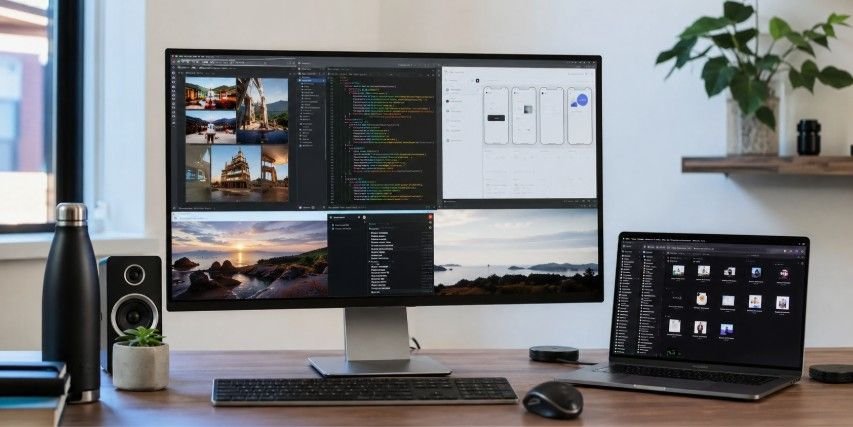
A messy desktop can turn even the simplest task into a frustrating experience. After spending countless hours juggling browsers, documents, messaging apps, and creative tools, finding the best window manager for MAC completely changed how work gets done. The right tool does more than arrange windows. It helps create a cleaner workspace, reduces distractions, and makes multitasking feel effortless.
Key Takeaways
- Rectangle is the best free option for most Mac users.
- Raycast combines window management with powerful workflow automation.
- AeroSpace is ideal for developers who prefer tiling layouts.
- Native macOS tiling works well for basic multitasking needs.
- The best window manager for MAC depends on your workflow style.
Why Should You Know This?
Most people spend hours every day moving, resizing, and rearranging windows without realizing how much time is being lost.
That may not sound like a big problem until dozens of small interruptions add up throughout the week. A cluttered screen can make it harder to focus, switch tasks, and maintain productivity.
This is exactly why the best window manager for MAC has become an essential productivity tool. Instead of fighting your workspace, you can create layouts that support the way you naturally work.
Understanding Window Management Styles
Some users prefer dragging windows into place with a mouse. Others want keyboard shortcuts that instantly organize their screens. Advanced users often prefer automatic tiling systems that manage windows without manual input.
Knowing which style fits your workflow makes choosing the right solution much easier and prevents installing features you may never use.

Drag-And-Snap Simplicity
This approach feels familiar to users transitioning from Windows.
Windows automatically snap into predefined positions when dragged to screen edges or corners. It requires little learning and works well for everyday multitasking.
Keyboard-Driven Efficiency
Power users often prefer keyboard-first workflows. Instead of dragging windows manually, shortcuts instantly resize and reposition applications. This method reduces repetitive actions and speeds up navigation.
Automatic Tiling Control
Tiling managers automatically arrange windows as applications open.
Developers and technical users often prefer this style because it keeps workspaces organized without requiring constant adjustments.
Rectangle: Best For Drag-And-Snap Users
Rectangle has earned a strong reputation among Mac users for good reason.
As a free and open-source window manager, it delivers many premium-level features without requiring a subscription. During testing, it consistently provided smooth performance and intuitive controls.
Users can snap windows into halves, quarters, thirds, and custom positions using either mouse actions or keyboard shortcuts. The learning curve is minimal, making it one of the easiest productivity upgrades available.
Why Rectangle Stands Out
Its biggest strength is balance. Rectangle combines simplicity, customization, and speed without overwhelming users. It feels natural almost immediately after installation.
Who Should Use Rectangle
This tool is perfect for professionals, students, writers, marketers, and anyone moving from Windows to macOS. Users who enjoy drag-and-drop organization will feel comfortable within minutes.
Pricing And Value
Rectangle is free and open source. For users who need advanced layouts and additional customization, Rectangle Pro offers expanded capabilities at an affordable cost.
Raycast: Best For Keyboard Productivity
Raycast goes beyond traditional window management. Originally designed as a productivity launcher, it now includes powerful window organization features that integrate seamlessly into daily workflows. Instead of switching between apps manually, users can trigger actions instantly from the keyboard. The result is a workspace that feels faster, cleaner, and more efficient.

Automation Meets Window Management
Raycast allows users to create custom commands and layout shortcuts. This makes repetitive tasks significantly easier, especially for professionals managing multiple projects simultaneously.
Ideal User Profile
Power users benefit most from Raycast.
Writers, developers, consultants, and remote workers who prefer keyboard-driven productivity often consider it indispensable.
Pricing Overview
The core functionality is available for free. Additional AI-powered features are available through Raycast Pro for users seeking advanced workflow enhancements.
AeroSpace: Best For True Tiling
AeroSpace has quickly become one of the most respected tiling window managers available for macOS.
Inspired by Linux tiling environments, it automatically arranges windows into clean layouts while maintaining compatibility with modern macOS security requirements.
Unlike some alternatives, AeroSpace does not require disabling System Integrity Protection, making installation simpler and safer.
How Tiling Improves Focus
Every new application automatically finds its place. This eliminates overlapping windows and reduces time spent organizing the desktop.
Best For Technical Workflows
Developers, engineers, analysts, and advanced users often prefer AeroSpace. The structured environment supports concentration and efficient multitasking.
Cost And Accessibility
AeroSpace is completely free and open source. This makes it an attractive option for users seeking advanced functionality without additional expense.
Apple’s Native Tiling Option
Modern versions of macOS now include built-in window organization tools. Apple’s native tiling features allow users to place windows into left and right halves or create simple grid arrangements. For casual multitasking, these capabilities work surprisingly well.
While they cannot match the flexibility of dedicated applications, they provide a useful starting point for many users.

What Native Tiling Does Well
The integration feels seamless. Because the functionality is built directly into macOS, there is no additional software to install or maintain.
Where It Falls Short
Customization remains limited. Users looking for advanced layouts, automation, and keyboard-driven workflows may eventually outgrow the native options.
Other Worthy Contenders
Several excellent tools deserve recognition even if they are not the primary recommendation.
BetterTouchTool
This application is known for its incredible customization capabilities. Trackpad gestures, automation features, and detailed window snapping controls make it a favorite among users who enjoy tailoring every aspect of their workflow.
Yabai
Yabai remains one of the most powerful window managers available. Advanced users appreciate its automation capabilities and deep customization, though setup can be more technical compared to other solutions.
Best Window Manager For MAC In Action
Choosing software is only the first step. Getting value from it requires thoughtful implementation.
Start by identifying the applications used most frequently throughout your day. Create dedicated layouts that keep those windows visible and easily accessible. This reduces unnecessary switching and improves focus.
Next, learn a handful of keyboard shortcuts or snapping gestures. Consistent use quickly turns these actions into habits that save time throughout the workday.
Finally, experiment with layouts based on different tasks. Writing, coding, research, design, and communication often benefit from unique window arrangements. Small adjustments can create surprisingly large productivity gains over time.
Frequently Asked Questions
1. What is the best window manager for Mac?
The best window manager for MAC depends on your workflow. Rectangle works best for most users, Raycast excels at automation, and AeroSpace is ideal for advanced tiling enthusiasts.
2. Does Mac have something like Windows Task Manager?
Yes. macOS includes Activity Monitor, which allows users to view system performance, monitor applications, track resource usage, and manage running processes effectively.
3. What is the best software to run windows on a Mac?
Parallels Desktop is generally considered the leading solution because it delivers strong performance, seamless integration, and a user-friendly experience for running Windows applications.
4. Is there an easier way to organize windows on Mac?
Yes. Tools like Rectangle, Raycast, AeroSpace, and even native macOS tiling features simplify window organization and make multitasking much more efficient.
Your Desktop Deserves Better
Finding the best window manager for MAC is less about choosing the most advanced software and more about choosing the right workflow. Rectangle delivers outstanding simplicity, Raycast unlocks keyboard-driven productivity, AeroSpace offers powerful tiling control, and Apple’s built-in tools handle basic organization.
With the right setup, your desktop becomes a workspace designed to support focus, speed, and productivity every single day.